
Your plan. Your progress. Your choice.

Returno Plan, previously RehabPath, helps you follow your clinician’s rehabilitation plan and keep track of everyday progress. Your records stay on your phone by default. Choose the dates and information for a clinician PDF, with optional AI to help structure a plan or draft a focused summary. It does not diagnose, prescribe or replace professional advice.
← Back to all products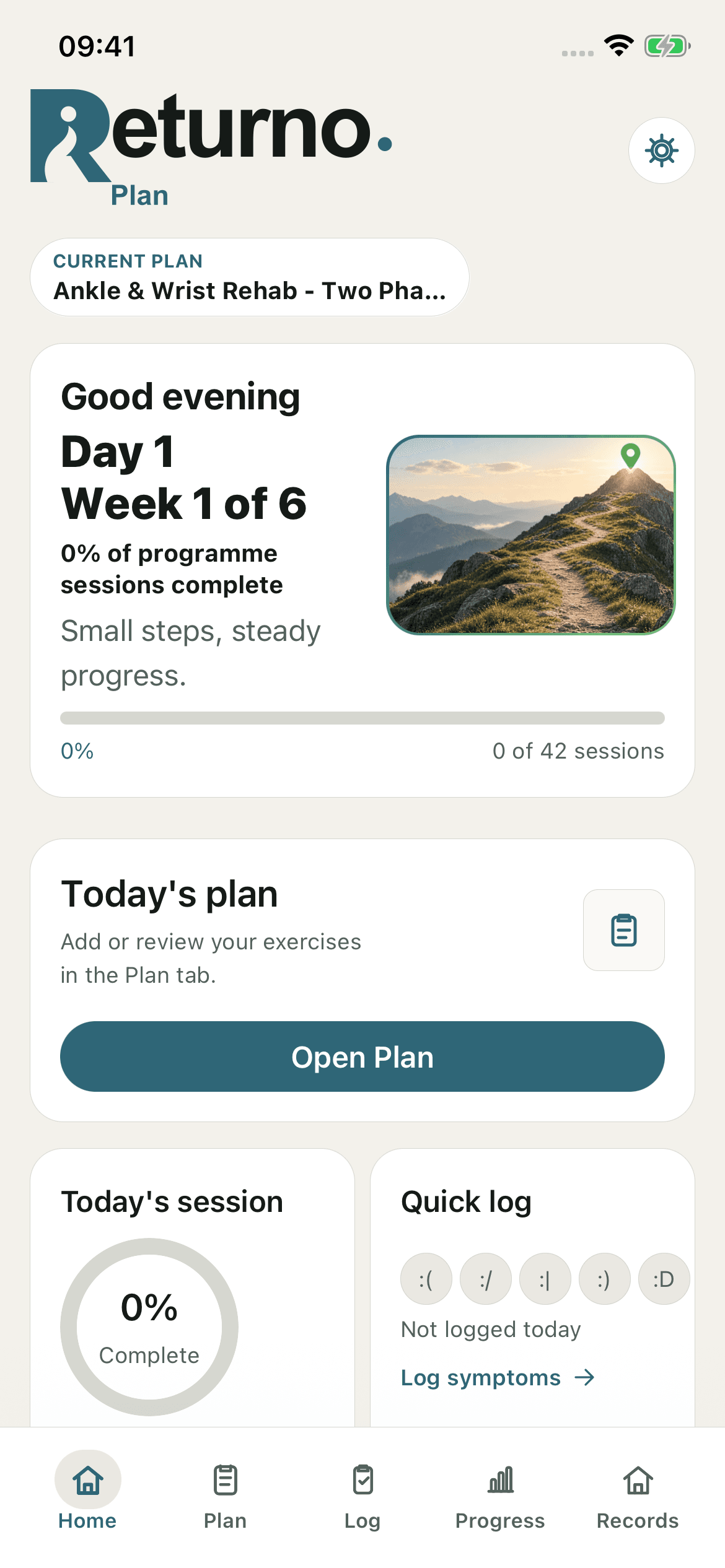
What it is
Clear about what’s here today.
- Enter your clinician’s plan manually, or choose optional AI import for a PDF with selectable text.
- Log activities, exercises, symptoms, notes and milestones in one place.
- Choose report dates and sections: planned exercises, activity, an average week, symptoms, milestones or selected notes.
- Tell the optional AI summary what to focus on, then review and edit the result before exporting.
- Use manual plan entry and local PDF export without AI. Keep your own encrypted backup file.
Local by default
You decide what leaves your phone.
AI is optional. Before selecting a PDF for AI import, you choose whether to continue. The PDF text is read on your phone. You then review and edit it before choosing Send to AI.
Only that explicit send shares the reviewed request through Firebase with OpenAI. Detected personal details are redacted, but you must check for names and identifying information. The service also uses an anonymous ID and operational metadata for rate limits and security.
For an AI summary, you choose the focus and any notes or symptom readings to include, review the request, then review and edit the result. You can enter plans manually and create PDFs without AI. Nothing is automatically shared with a clinician.
Inside Returno Plan
Keep the details that matter.
iPhone screens shown with an English demonstration plan.
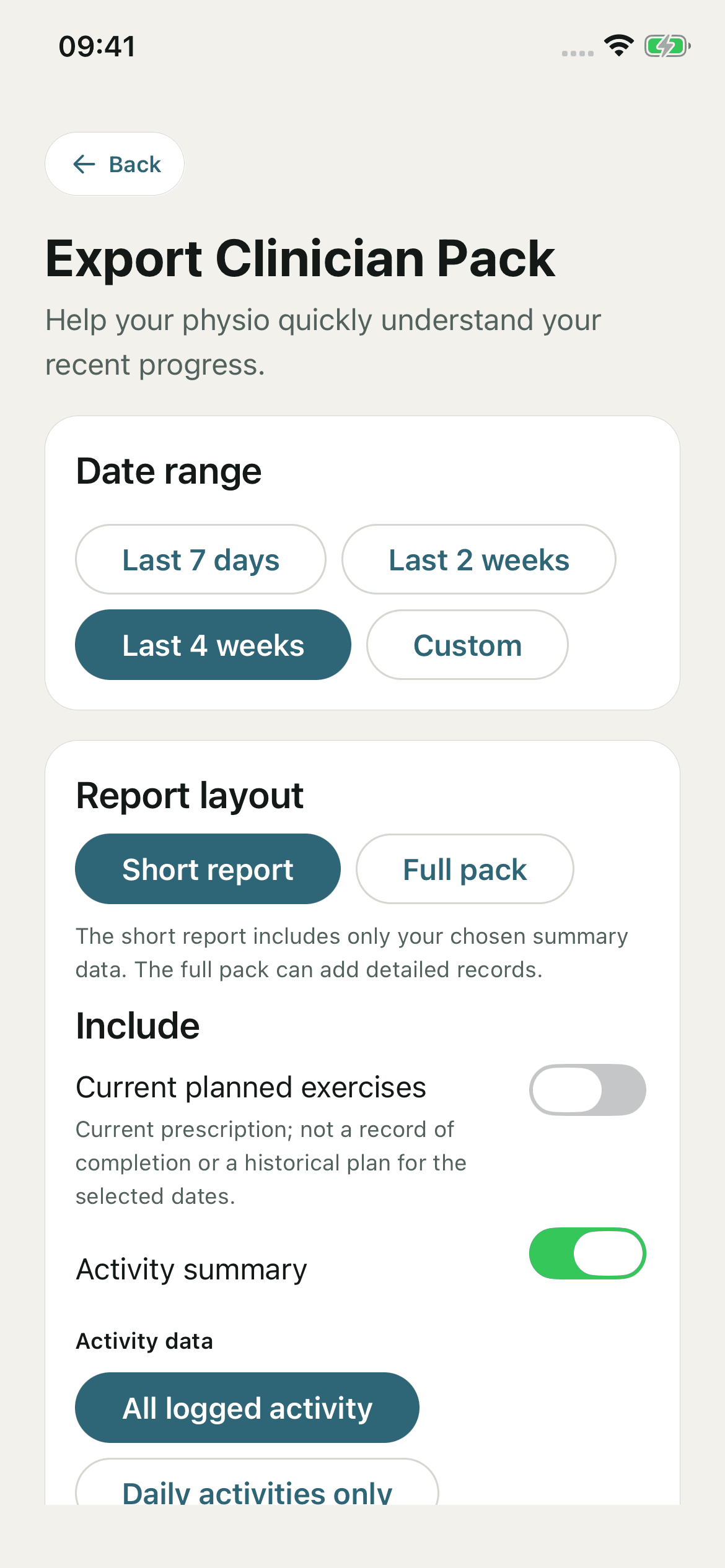
A report with a focus.
Choose your dates and sections so the PDF contains what you want to discuss with your physio.
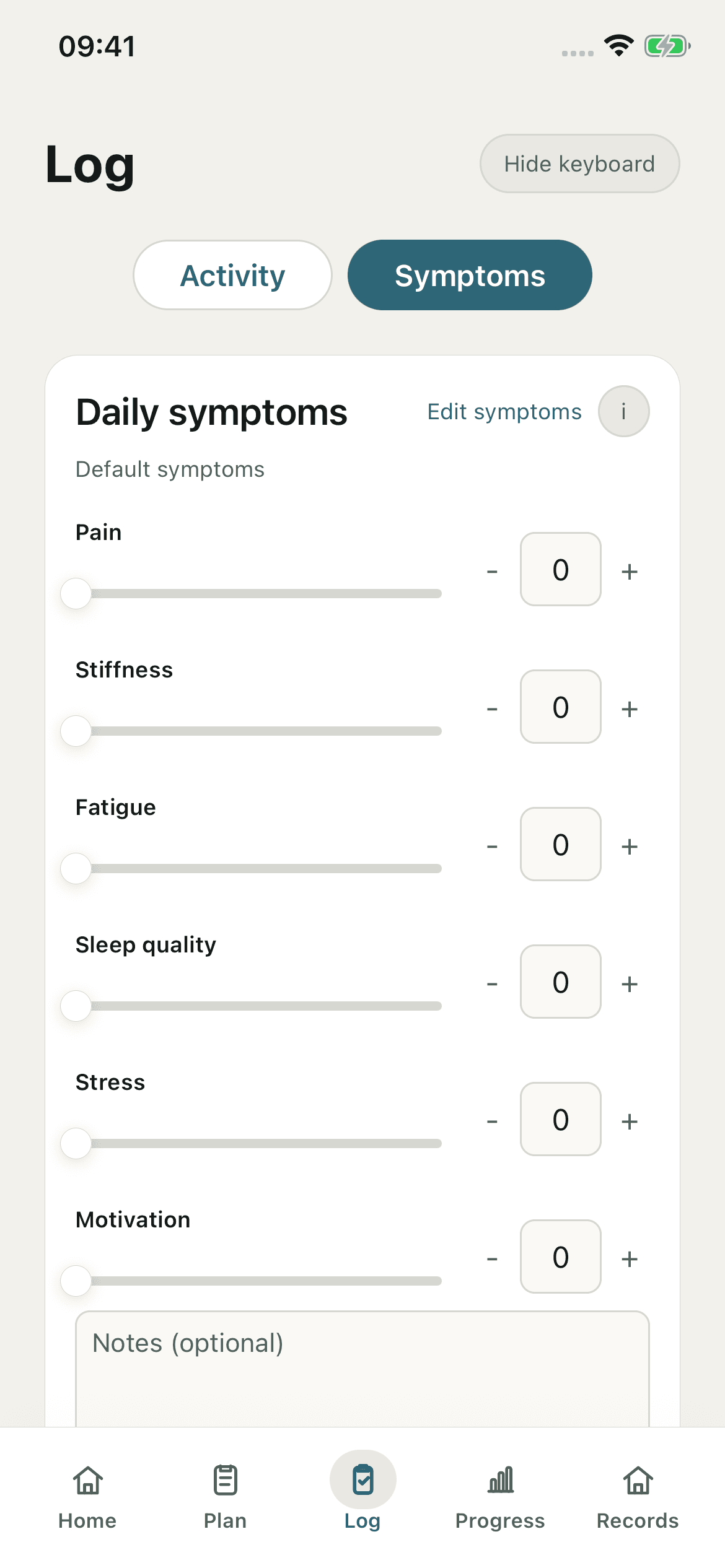
Keep the everyday details.
Record symptoms and notes alongside your activities, and choose which details to include in a report.
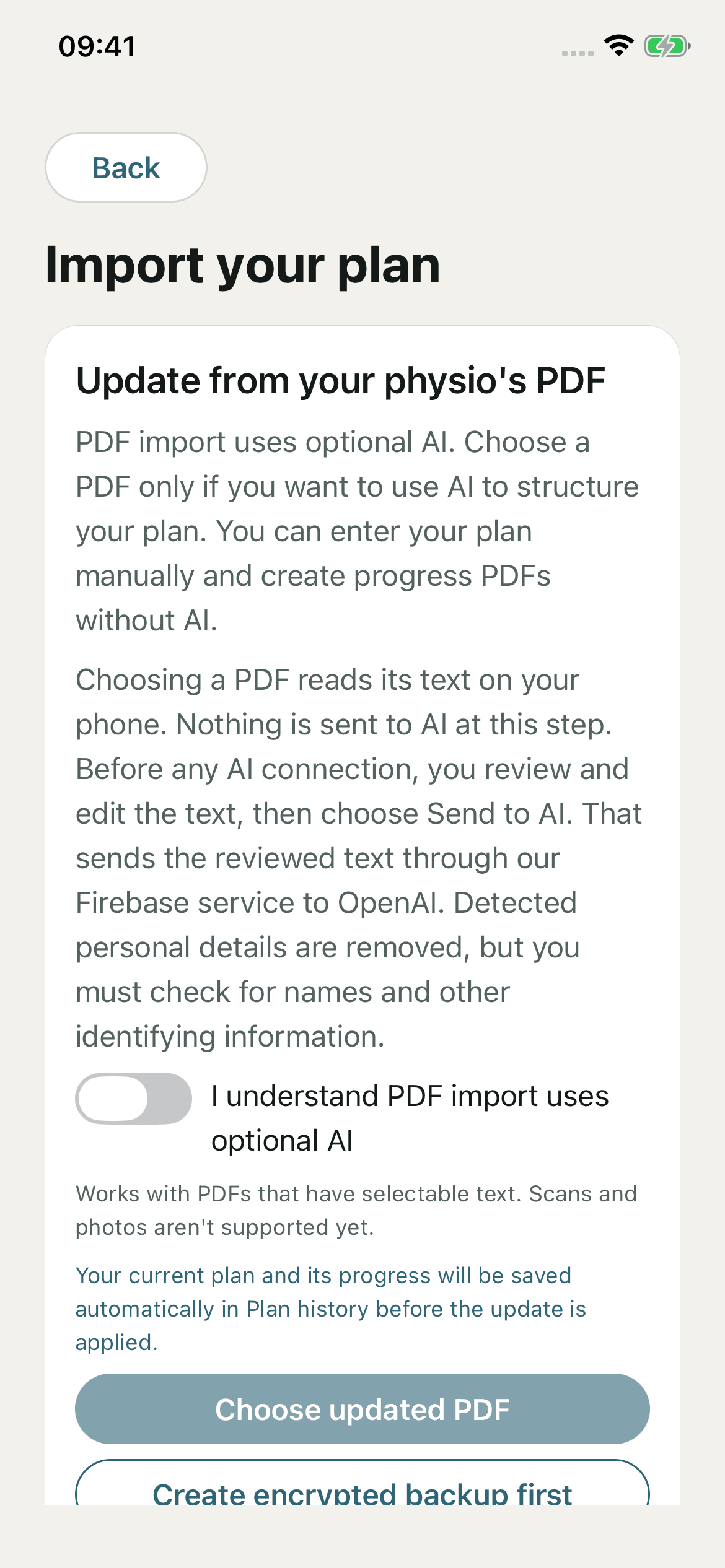
AI is your choice.
Review and edit extracted PDF text before choosing Send to AI. Manual entry and PDF export also work without AI.